
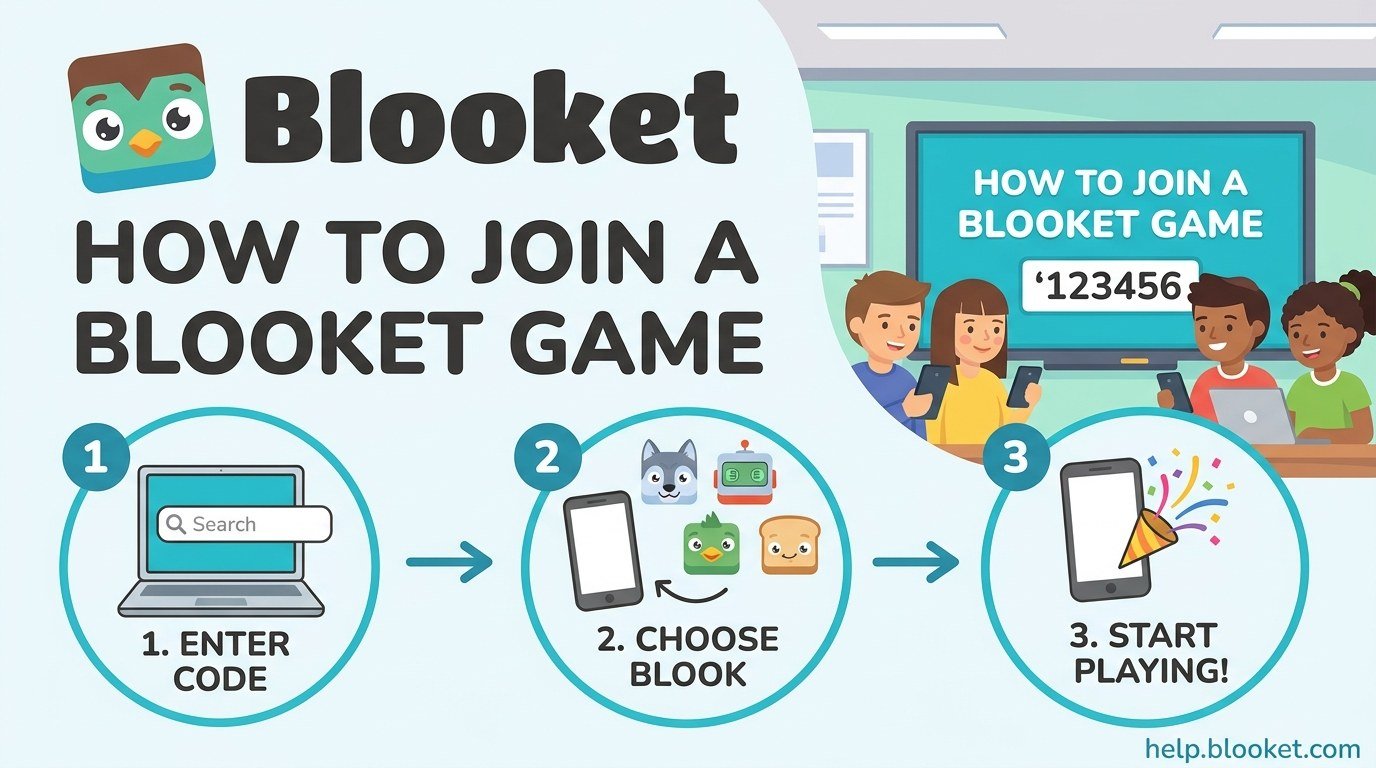
Blooket is a quiz game platform teachers use to review material in class. The teacher hosts a game, the class joins on their own devices, and everyone answers the same questions inside a game mode that looks nothing like a worksheet. Joining takes well under a minute once you know where to go.
This guide covers the three ways to join, what the code actually looks like, and the handful of things that go wrong.
How to join a Blooket game in three steps
- Go to play.blooket.com in any browser, on a phone, tablet, laptop, or Chromebook. This is the join page, and it is different from the main blooket.com site.
- Enter the 7 digit game code your teacher is displaying, then enter a nickname to appear on the class screen.
- Choose a Blook, the little character you play as, and wait. The game starts when your teacher starts it.
That is the whole process. If you are on a school device and the site is blocked, that is a network restriction rather than anything you have done wrong, and your teacher will need to ask IT to allow it.
Do you need a Blooket account to join?
No. Student accounts are not required to join a game. You can type the code, pick a nickname, and play as a guest.
There is one reason to log in first. If you sign in before joining, the game counts toward your account, so you earn points and can play as a Blook you already own rather than picking from the free starter set. If you join as a guest and then decide you wanted the points, it is too late for that round.
| Playing as a guest | Logged in | |
|---|---|---|
| Can you join a game | Yes | Yes |
| Do points count toward your account | No | Yes |
| Can you use Blooks you own | No | Yes |
| Do you need a teacher code | Yes | Yes |
| Setup time | None | A few seconds to sign in |
What does a Blooket game code look like?
A Blooket game code is 7 digits, all numbers, no letters. Something like 4821096. It is generated fresh each time a teacher hosts a game, so the code from last lesson will not work today.
This trips people up because plenty of other classroom quiz platforms use 6 digit codes, and guides written about those get copied across. If you are counting six digits and the code will not go in, count again.
Can you join without typing the code?
Yes, two ways, and both are faster on a phone.
- Scan the QR code. If your teacher is displaying one, open your device camera and point it at the screen. The link opens the join page with the code already filled in.
- Click the join link. If the teacher shares a join link through Google Classroom, Teams, or a chat message, clicking it takes you straight in.
Both methods skip the typing, which matters in a class where half the room is entering the code wrong.
What is a Blook?
A Blook is the character you play as, shown next to your nickname during the game. Everyone picks one while waiting for the teacher to start.
As a guest you choose from the free starter set. Logged in players can use Blooks they have unlocked with points earned in previous games, which is the main incentive to sign in before joining rather than after.
Why will my Blooket code not work?
Almost always one of these, in rough order of how often it happens.
| What you are seeing | Most likely cause | Fix |
|---|---|---|
| Code rejected | The game already ended | Ask the teacher to host again |
| Code rejected | Typed 6 digits, not 7 | Recount the digits |
| Code rejected | Reading a 0 as an O | Codes are numbers only |
| Page will not load | School network blocking it | Ask your teacher to contact IT |
| Stuck on the waiting screen | Teacher has not started yet | This is normal, wait |
| Kicked out mid game | Lost wifi | Rejoin with the same code and nickname |
Codes are tied to a live game session. When the teacher ends it, the code dies with it. A code that worked twenty minutes ago and fails now usually means the session is over rather than that you typed it wrong.
What if you get disconnected mid game?
Go back to play.blooket.com and enter the same code with the same nickname. In most game modes you rejoin with your progress intact, though exactly how much carries over depends on the mode the teacher chose. Reconnect quickly, because if the game finishes while you are out, there is nothing to rejoin.
Joining on a phone versus a laptop
The process is identical, and Blooket runs in the browser rather than needing an app. There is no Blooket app to install, so if you find one claiming to be official, be careful.
Phones are faster to join because of QR scanning. Laptops and Chromebooks are more comfortable for game modes with a lot of reading or rapid answering, which is why most classrooms use them. Either works.
A note for parents and teachers
Because joining needs no account, a child can play without handing over an email address, which is a sensible default for classroom use. If your school wants points and Blook ownership to persist between lessons, that requires accounts, and that is worth reading Blooket’s own privacy documentation about first rather than relying on a summary.
Teachers hosting rather than joining need the host side, which is a different flow entirely: you pick a set, pick a game mode, and Blooket generates the code your class types in.
For more guides on classroom and online game platforms, see our Online Games section.
What is the Blooket join code?
It is a 7 digit number your teacher displays when they host a game. Enter it at play.blooket.com. A new code is generated for every game, so yesterday’s code will not work.
Do I need an account to play Blooket?
No. You can join any hosted game as a guest with just the code and a nickname. Signing in before you join is only needed if you want points to count toward your account and to use Blooks you already own.
What website do I use to join a Blooket game?
play.blooket.com. That is the join page. The main blooket.com site is for teachers hosting games and for managing your account.
Why does it say my Blooket code is invalid?
Usually the game has already ended, since codes only work while the session is live. Otherwise check you have entered all 7 digits and have not read a zero as the letter O, because codes contain numbers only.
Can I join a Blooket game on my phone?
Yes. It runs in your phone’s browser, and there is no app to install. Scanning the QR code your teacher displays is the fastest way in.
Can I rejoin if I get disconnected?
Yes. Return to play.blooket.com and enter the same code and nickname. How much progress carries over depends on the game mode, so rejoin as quickly as you can.
More in Online Games
How to Join a Kahoot Game: Entering a Game PIN Step by Step
How to join a Kahoot game in under a minute using the game PIN, on a phone or a laptop,…

Kahoot Quiz Games: How They Work, What They Cost, and How to Make One
What Kahoot quiz games are, how to play and create one, what is actually free, and how the separate Kahoot…