

Kahoot quiz games are the brightly coloured multiple choice quizzes you have probably seen on a classroom projector or in a work training session. One person hosts, everyone else answers on their phone or laptop, and a leaderboard appears between questions.
There is one thing worth clearing up first, because it causes real confusion. Kahoot Quiz games is also the specific name of a separate app for young children inside a Kahoot Kids subscription. Those are two different products with almost the same name, and this guide covers both.
What are Kahoot quiz games?
A kahoot is a set of questions, usually multiple choice, that a host presents one at a time. The question and answer options appear on a shared screen. Players see only coloured shape buttons on their own device and tap the one matching the answer they want.
Scoring is the part people underestimate. Points reward being correct and fast, so a player who answers correctly in two seconds beats one who answers correctly in eight. That single design decision is why kahoots feel like a game rather than a test, and it is also why they suit recall and recognition far better than questions needing real thought.
How do you play a Kahoot quiz game?
Joining takes under a minute and needs no account.
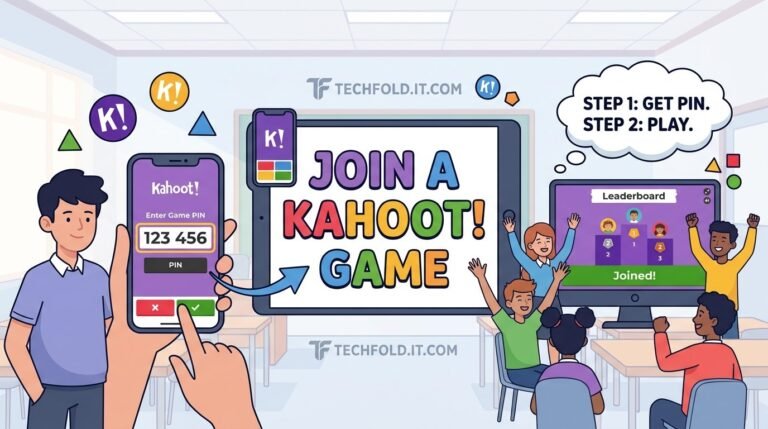
- Go to kahoot.it in any browser, or open the Kahoot app.
- Enter the game PIN displayed on the host’s screen.
- Enter a nickname, which appears on the shared leaderboard.
- Wait for the host to start, then tap the coloured shape matching your answer before the timer runs out.
You only need an account if you want to host a quiz, save your own, or keep a record of your results across sessions. Players never need one.
How do you create a Kahoot quiz?
- Create a free account at kahoot.com and choose to make a new kahoot.
- Add your questions. Quiz, meaning multiple choice, and true or false are the standard free types.
- Set a time limit per question, typically between 5 and 120 seconds, and decide how many points it is worth.
- Add an image or video to questions where it helps, because a visual slows people down in a useful way.
- Save, then choose to host it live or assign it as homework for people to complete in their own time.
Three things make a noticeably better kahoot, and none of them are features:
- Keep answers short. Players are reading four options on a phone against a timer. Long options punish slow readers rather than testing knowledge.
- Make wrong answers plausible. Obviously silly options turn the quiz into a reaction test.
- Give more time than feels necessary. The default often rewards whoever reads fastest rather than whoever knows the material.
Is Kahoot free to play and create?
Playing is always free. Creating is free for the basics. The paid tiers add features rather than unlocking the core product.
| What you want to do | Free? | Notes |
|---|---|---|
| Join and play a hosted game | Yes | No account required |
| Create a basic multiple choice quiz | Yes | Free account needed |
| Host live for a small group | Yes | Player limits apply on free plans |
| Advanced question types | No | Slider, puzzle and similar are paid |
| Large player counts | No | Higher limits are a paid feature |
| Kahoot Quiz games for kids | No | Part of a Kahoot Kids subscription |
Plan names, player limits and prices change often, and they differ between the school, work and personal tiers. Check the current pricing page rather than trusting any figure quoted in an article, including this one.
What is Kahoot Quiz games for kids?
This is the separate product, and the reason the name confuses people. Kahoot Quiz games is a child friendly app experience inside Kahoot Kids, built for young children to explore on their own or with family rather than for a teacher to host in a classroom.
According to Kahoot, it is designed to build literacy, numeracy, social emotional and cognitive skills, with different levels of complexity so it works for beginners as well as children ready for multi step reasoning. Two features stand out:
- Available in 19 languages, which makes it useful for multilingual families and for children building a second language.
- Read aloud technology, so children hear the words while seeing them on screen. That is what makes it workable for pre readers, and it supports pronunciation and listening comprehension.
Getting started is three steps: download the Kahoot app to your child’s device, add a child profile inside the app, then hand it over. Full access requires a Kahoot Kids subscription, which bundles it with a set of other learning apps.
Classroom kahoots or the kids app, which do you want?
| Classroom Kahoot | Kahoot Quiz games (Kids) | |
|---|---|---|
| Who runs it | A host, live | The child, independently |
| Typical age | School age through adult | Young children |
| Needs a host | Yes | No |
| Cost to play | Free | Kahoot Kids subscription |
| Read aloud | No | Yes |
| Best for | Group review and recall | Solo or family learning |
If you are a teacher wanting the class to answer together, you want the classroom version. If you are a parent wanting something a five year old can open alone, you want the Kids app.
What are these quizzes actually good at?
They are excellent at recall under time pressure: vocabulary, dates, formulas, definitions, safety rules. The speed scoring makes revision feel competitive, and the leaderboard between questions gives a natural pause to explain an answer.
They are poor at anything needing reflection. A question worth genuinely thinking about is actively punished by a timer that rewards the fastest finger. If you want considered answers, assign the kahoot as homework mode, where the timer pressure is lower, or use a different tool entirely.
Common problems and quick fixes
| Problem | Usual cause | Fix |
|---|---|---|
| PIN will not work | Game already ended | Ask the host to relaunch |
| Cannot reach kahoot.it | School network block | Ask IT to allow the domain |
| Player kicked out | Lost connection | Rejoin with the same PIN and nickname |
| Nickname rejected | Filter or duplicate name | Pick a different one |
| Everyone answering too fast | Time limit too short | Raise it and add an image |
Where to go next
If you are setting up classroom quiz tools for the first time, our guide to joining a Blooket game covers the closest comparable platform, and the join flow is similar enough that learning one makes the other obvious.
More platform guides are in our Online Games section.
What are Kahoot quiz games?
Multiple choice quizzes that a host runs live while players answer on their own devices. Points reward both correctness and speed, which is what makes them feel like a game rather than a test.
Is Kahoot free to play?
Yes. Joining and playing a hosted game is free and needs no account. Creating basic quizzes is also free with a free account. Advanced question types and larger player counts are paid features.
How do I join a Kahoot quiz game?
Go to kahoot.it or open the Kahoot app, enter the game PIN from the host’s screen, enter a nickname, then answer by tapping the coloured shape that matches your choice.
Is the kids app the same as normal Kahoot?
No, and the naming is genuinely confusing. Kahoot Quiz games is a separate app for young children inside a Kahoot Kids subscription, designed for solo or family play rather than a host running a live classroom game.
What languages does the Kahoot Kids app support?
Kahoot states the Kids app experience is available in 19 languages, and it includes read aloud technology so children hear words while seeing them on screen.
Do I need an account to play Kahoot?
Not to play. You only need an account to create quizzes, host games, or keep a record of your results across sessions.
More in Online Games
How to Join a Kahoot Game: Entering a Game PIN Step by Step
How to join a Kahoot game in under a minute using the game PIN, on a phone or a laptop,…
How to Join a Blooket Game: Step by Step for Students
How to join a Blooket game in under a minute using the 7 digit code, a QR scan, or a…